Project Status Available Platforms Project Type Project Duration Software Used Languages Used Primary Role(s)
Commercially Released Android / iOS Indie Game 5 months Unreal Engine 4 Blueprints Solo Dev (All Roles)
About Game
Tower Stack is the second commercially released title I ever released. With a very simple concept that has already been created in multiple other titles across the mobile platform, I decided it had a lot of fun elements that could provide me with another challenging learning experience. This time it would be heavily math and color related.
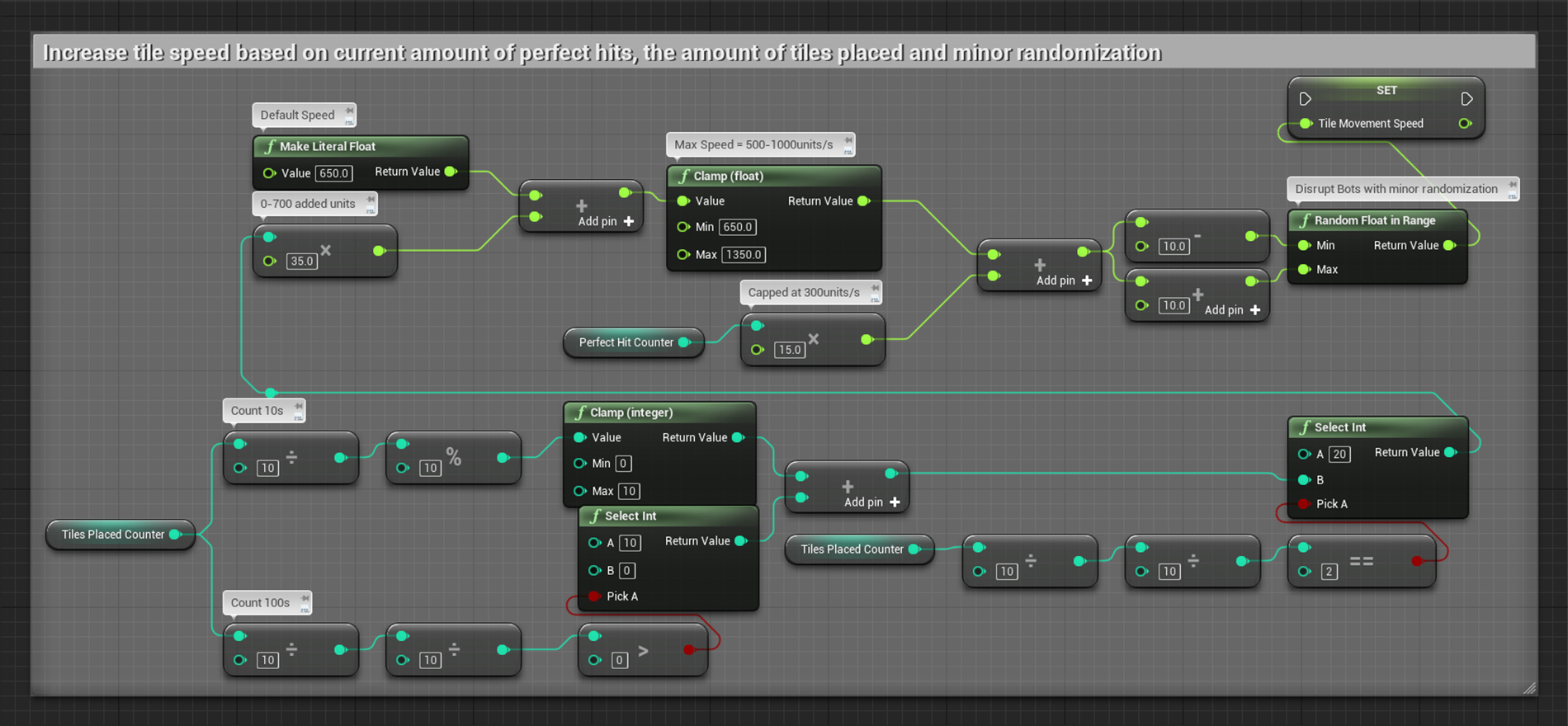
When designing the incremental speed system I had a few things I wanted to achieve. First thing was to increase speed based on the amount of tiles already placed, with a range of 0-700 units to be added on top of the default tile speed. Second task was to exponentially increase speed with every concurrent perfect hit being made, which in turn gets removed when the perfect hit streak ends.
We also added a small randomization to the speed, to mess with potential bots and programs.
Tile spawn rules
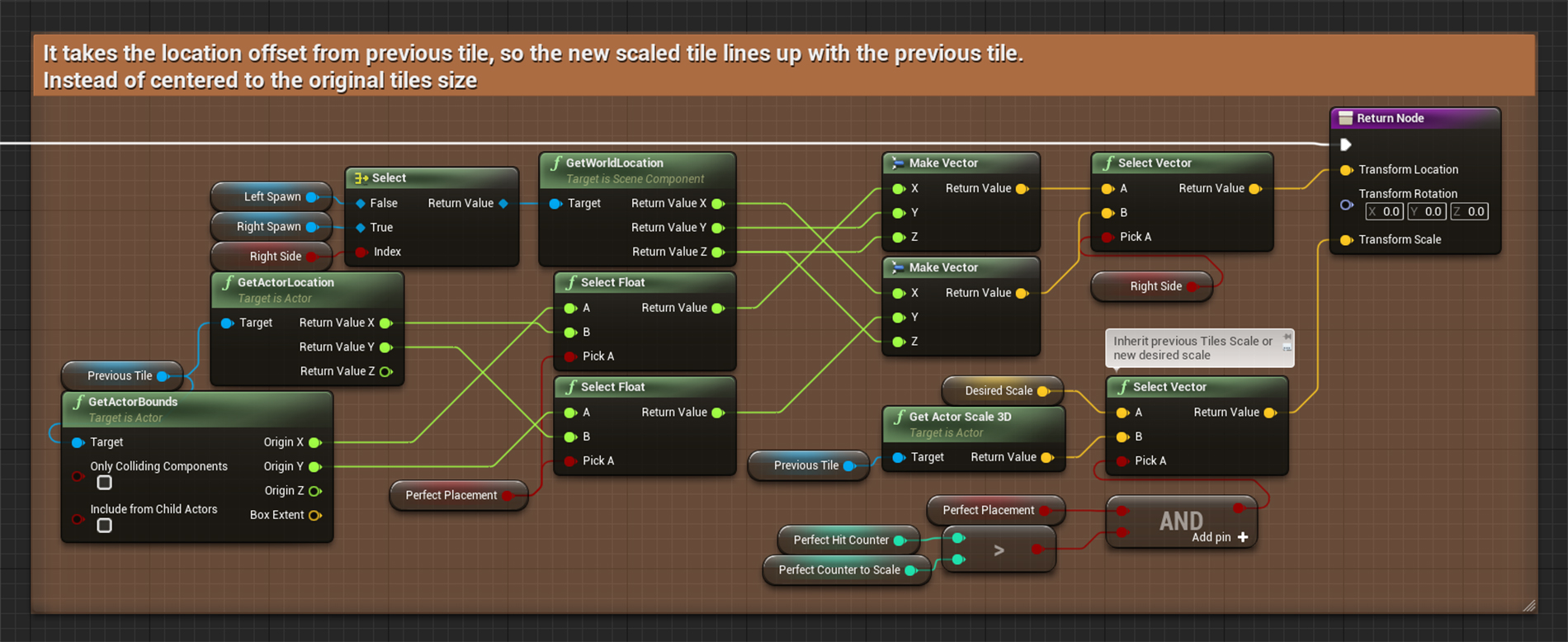
To accurately position new tiles during spawn, I had to first determine which side the previous tile came from and if it was a perfect hit. Depending on that result I could add corrections to XY locations and scale.
When multiple perfect hits occur and the tile increase in size the ‘DesiredScale’ is modified elsewhere in the codebase, usually by an incrementation of 5% per size change.
Mesh scaling tricks
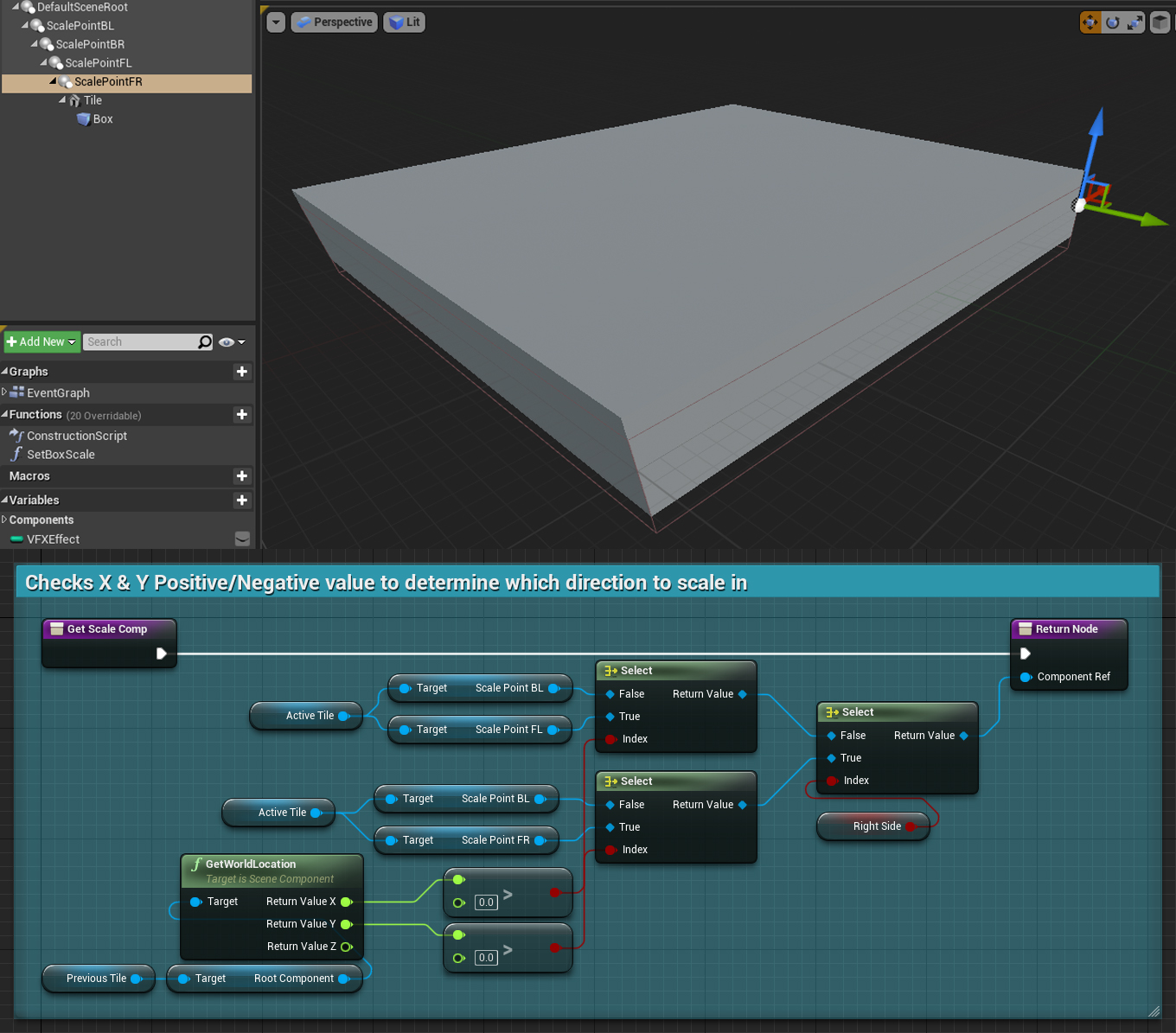
When deciding which direction to scale the tile mesh in, we simply check if the value in X or Y was of positive value, as our initial tile is placed on the vector (0,0,0) that means forward and right is positive and backwards and left is negative.
By placing components which we scale from at each corner of the tile, we reduce the amount of logic required to scale in each individual direction while keeping pin point precision. An alternative would be placing the pivot at a corner of the mesh, but then the spawn location logic would have to be modified too so this was the easiest approach.
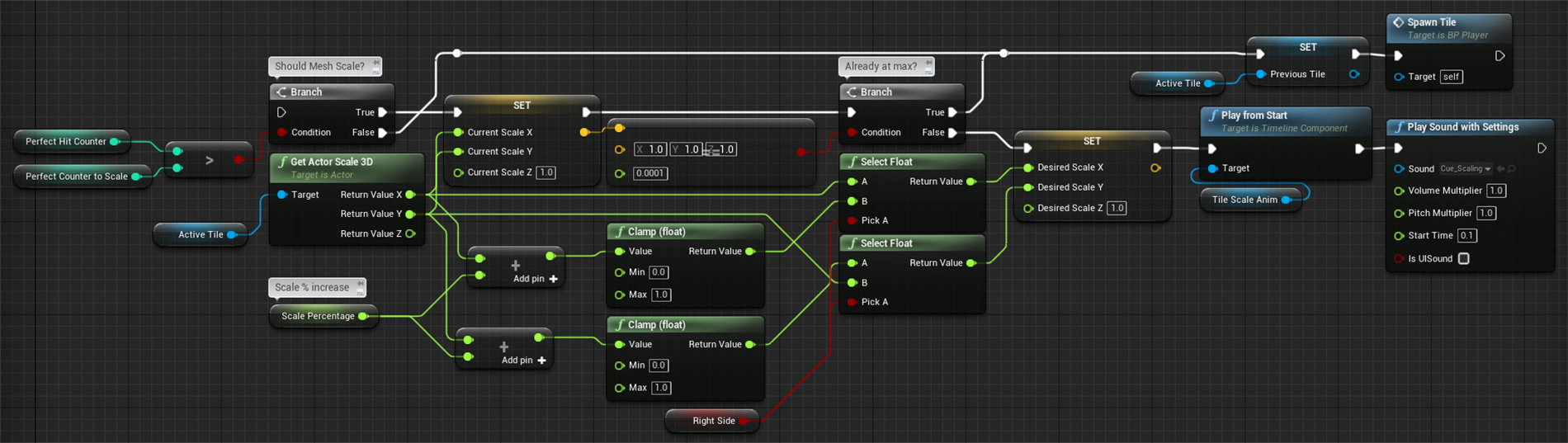
The biggest challenge was to make sure that players couldn’t scale out of bounds (the visual field or the range N200 to P200), so based on the currently selected ‘ScalePoint’ + 5% in the moving direction we could check if the scale would be out of bounds and instead scale in the opposite direction.
This logic was used to determine if current perfect hit qualified to scale the tile and if so started the visual animation and sound to go with it.
Tile fall-off mechanic
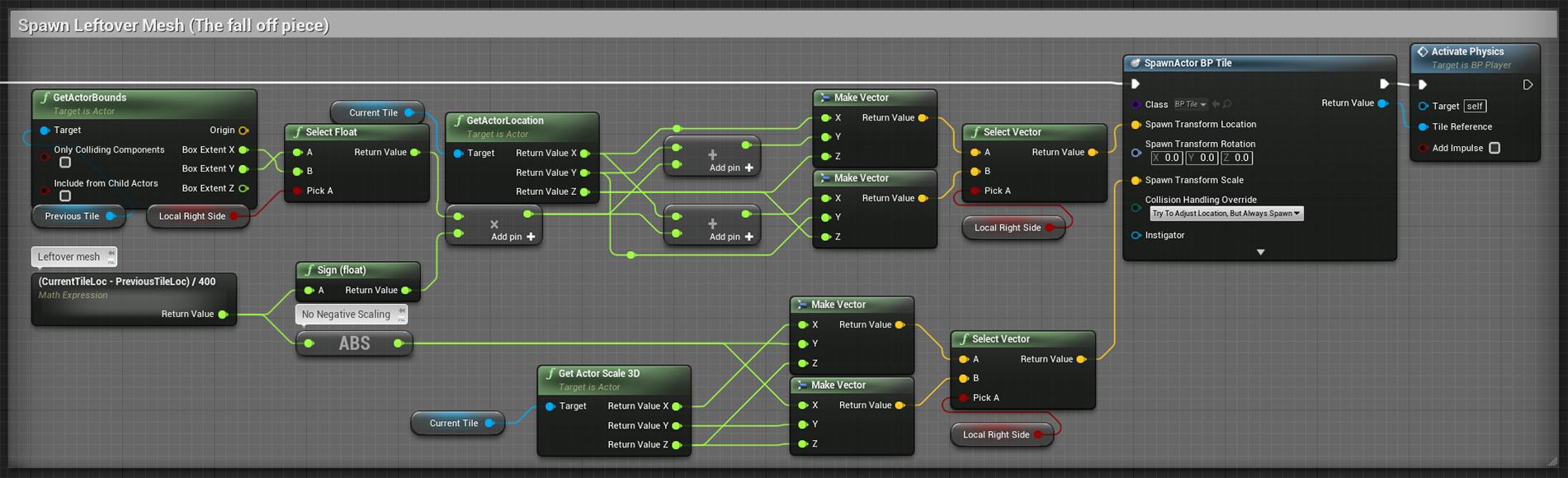
The most important visual aspect of the whole game concept is the pieces that falls off when you place a tile over the edge of the previous tile.
Here I calculate the size that is hanging out and spawns in a new tile with that size and exact location, the previous tile also gets scaled down in the same frame, making it look like a part of the mesh is simply falling off.
Initially all physics is disabled to prevent sporadic physics collisions from happening and about a fraction of a second after spawning all physics simulations is enabled again, producing a clean and good looking fall-off behavior.
Color interpolations
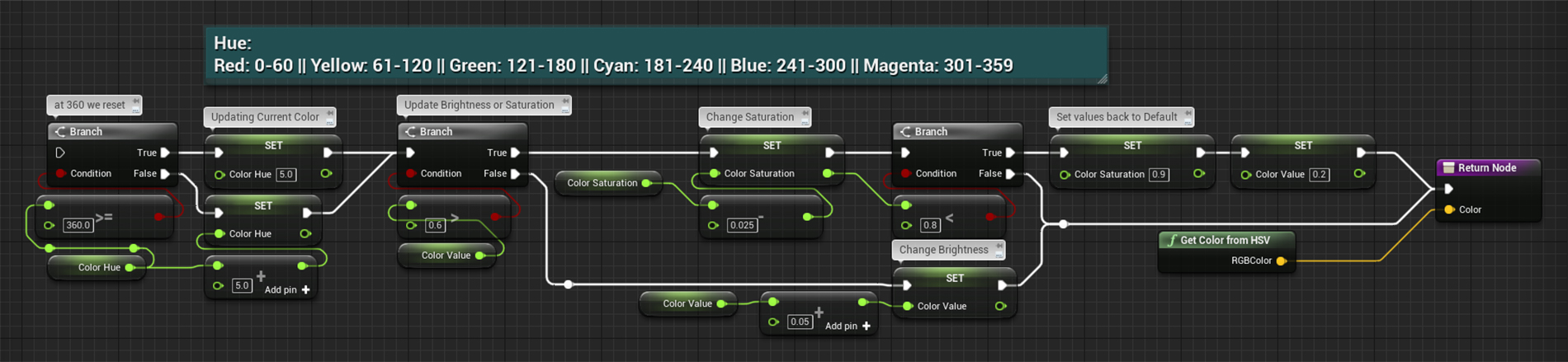
Prior to this project I wasn’t knowledgeable in regards to HSV (Hue-Saturation-Value), thankfully I managed to find all the information I required.
The color systems goal is to make placing tiles slightly harder in intervals, by making every new color start off with easy to see edges between the tiles but gradually get brighter and blend in with the previous tiles.
This added another layer of difficulty to the simple game concept that I considered enjoyable and hopefully got well received by the community.
Simplistic Save System
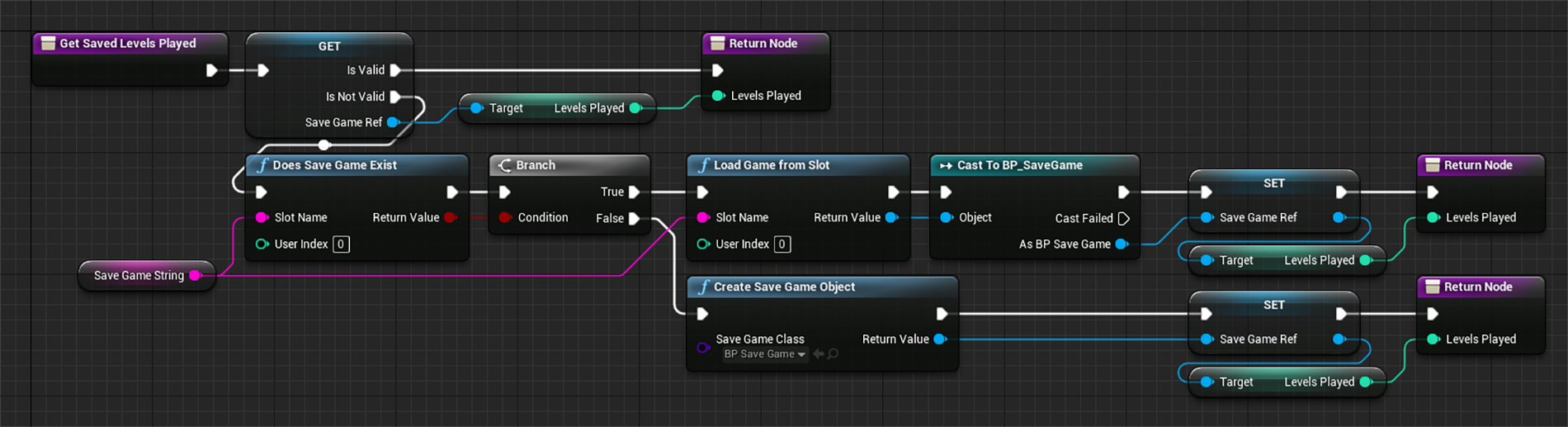
An implementation that always succeeds by either directly getting the values you need or loading/initializing them into the game.
In the example below, we get the ‘LevelsPlayed’ used to determine if an Ad should be played.
To make the save system work on Androids from SDK 31 and above, I had to make changes to the source code that would remove the need for permission popups and place the save file where we could access it painlessly.